
Agency tool adoption: successfully transitioning to automated scheduling

Adopting a visit scheduling tool automates appointments, reminders, and follow-ups, reducing your agents' administrative burden and increasing the number of confirmed visits. The concrete benefit: fewer lost slots, fewer phone calls or text message exchanges, and time reallocated to client support. A dedicated tool specifically addresses this need for agencies that want to structure their appointment booking without multiplying tools.
In brief:
- Automatic synchronization with Google Calendar or Outlook is essential for lasting agent adoption of the tool.
- The ability to book without creating an account significantly increases the conversion rate to scheduled visits.
- The pilot phase should last between two and four weeks to adjust processes without disrupting daily work.
- Compliance with legal requirements necessitates a clear explanation at the time of data collection and explicit consent for SMS or email reminders.
- Progressive deployment, with continuous support and micro-trainings, encourages regular use and prevents tool abandonment.
Table of Contents
- What concrete benefits can you expect from adopting a tool in your agency?
- How to choose an agency management tool for visit scheduling?
- How to deploy the tool without disrupting agents' work?
- What does the law say about the confidentiality of booking data?
- Why do so many well-chosen tools end up unused?
- VisitSync, a solution designed for agency adoption
- Sources
- Frequently Asked Questions
What concrete benefits can you expect from adopting a tool in your agency?
An agent who manages fifteen visits a week often spends several hours on the phone confirming, rescheduling, or following up with potential tenants. Automation eliminates a large part of these repetitive exchanges.
- Automatic SMS or email reminders significantly reduce no-shows, a classic problem in real estate visit management.
- Online booking without account creation eliminates back-and-forth phone calls to schedule a time slot.
- Attendance analytics allow you to identify which properties attract the most inquiries and adjust sales priorities accordingly.
- Synchronization with existing calendars prevents double bookings and manual input errors.
Pro tip: Track the confirmed visit rate before and after deployment. This is the most compelling indicator to convince a still-skeptical team.
Seamless integration with tools already used daily, such as Outlook or Google Workspace, often weighs more in actual adoption than a software's rich functionality. A powerful tool poorly connected to the agent's calendar ends up being bypassed.

How to choose an agency management tool for visit scheduling?
Choosing a solution isn't just about comparing feature lists. Here are the criteria that truly determine whether the tool will be used daily or abandoned after three weeks.
- Native calendar synchronization. Verify that the solution connects directly to Google Calendar and Outlook, without manual manipulation. This is the most crucial criterion for actual agent adoption.
- Frictionless booking for the tenant. A booking page accessible without creating an account increases the conversion rate from listings to scheduled visits.
- Customizable reminder channels. SMS, email, or both: the solution must allow you to adapt the tone and frequency of messages according to your clientele.
- Data security and governance. Ask who has access to booking logs, how long data is retained, and if third parties have access.
- Exportable analytics. A dashboard confined within the tool without export capabilities limits its usefulness for monthly reporting to management.
- Administrative simplicity. An administrator must be able to add an agent, adjust availabilities, or revoke access in a few clicks, without technical support.
Pro tip: Always ask for a demonstration with your own time slots and your own calendar before signing. A tool that seems fluid in a presentation can reveal friction as soon as the first real synchronization.
How to deploy the tool without disrupting agents' work?
A failed deployment almost always begins with the same mistake: switching the entire agency at once, without a testing phase. Here's a six-step plan that minimizes friction.
- Map existing workflows. Note how appointments are currently made, who manages reminders, and which calendars are already used by each agent.
- Choose a restricted pilot group. Two or three willing agents are sufficient, with a measurable objective such as an increased attendance rate over four weeks.
- Configure synchronizations and message templates. Link calendars, create availability windows per property, and customize reminders before opening access to other agents.
- Provide short training sessions. Thirty minutes are often enough, complemented by a quick printable sheet rather than a fifty-page manual that no one will read.
- Let the old and new systems coexist for two to three weeks, to gather feedback and correct actual frictions.
- Expand progressively, following simple indicators rather than imposing mandatory use from day one.
Indicators to track during and after deployment:
- Active usage rate per agent (weekly logins and actions).
- Proportion of appointments confirmed via the tool rather than by phone.
- Average time saved per week on visit coordination.
- No-show rate for scheduled visits, before and after automatic reminders.
Sectoral feedback shows that learning a new tool takes time but ultimately pays off when the agency accepts this transition phase rather than cutting it short.
What does the law say about the confidentiality of booking data?
Entrusting your bookings to a third-party software does not transfer your legal responsibility. Under the Personal Information Protection and Electronic Documents Act (PIPEDA), the agency remains accountable for the processing of its clients' data, even when the SaaS provider hosts the infrastructure.
Specifically, this requires a few simple practices to integrate into the booking process:
- Display a short, visible explanation when the potential tenant enters their contact information, rather than a link to a ten-page privacy policy.
- Clearly explain if data is transferred outside of Canada, as transborder transfers generally require explicit consent.
- Document who has access to the data, for what purpose, and how long it is retained.
- Offer a simple way to withdraw consent for SMS or email reminders.
The Office of the Privacy Commissioner of Canada recommends consent processes designed "at the right time," directly integrated into the interface rather than buried in terms and conditions. For commercial messages and application installation, Canada's Anti-Spam Legislation (CASL) requires express and separate consent, obtained independently of the general acceptance of terms of use.
Why do so many well-chosen tools end up unused?

The most common mistake is not technical, it's organizational. An agency that imposes a tool overnight, without a pilot or internal champion, faces passive resistance: agents continue to work by phone in parallel, and the tool becomes an empty shell.
Measuring actual usage rather than penalizing non-usage changes the dynamic. An agent who doesn't use calendar synchronization probably has a specific friction to resolve, not just a lack of motivation. Provide continuous support, micro-trainings spaced over several weeks, and align your internal processes, particularly regarding the retention of visit records and access to tenant data. It is this continuity, more than the quality of the software itself, that determines whether adoption lasts.
— Isac
VisitSync, a solution designed for agency adoption
A solution to consider for an agency that wants to replace phone exchanges with a centralized system without unnecessary technical complexity. The platform automates appointment booking, sends reminders, and provides detailed analytics on visits, all while offering synchronization with agents' Google and Outlook calendars.
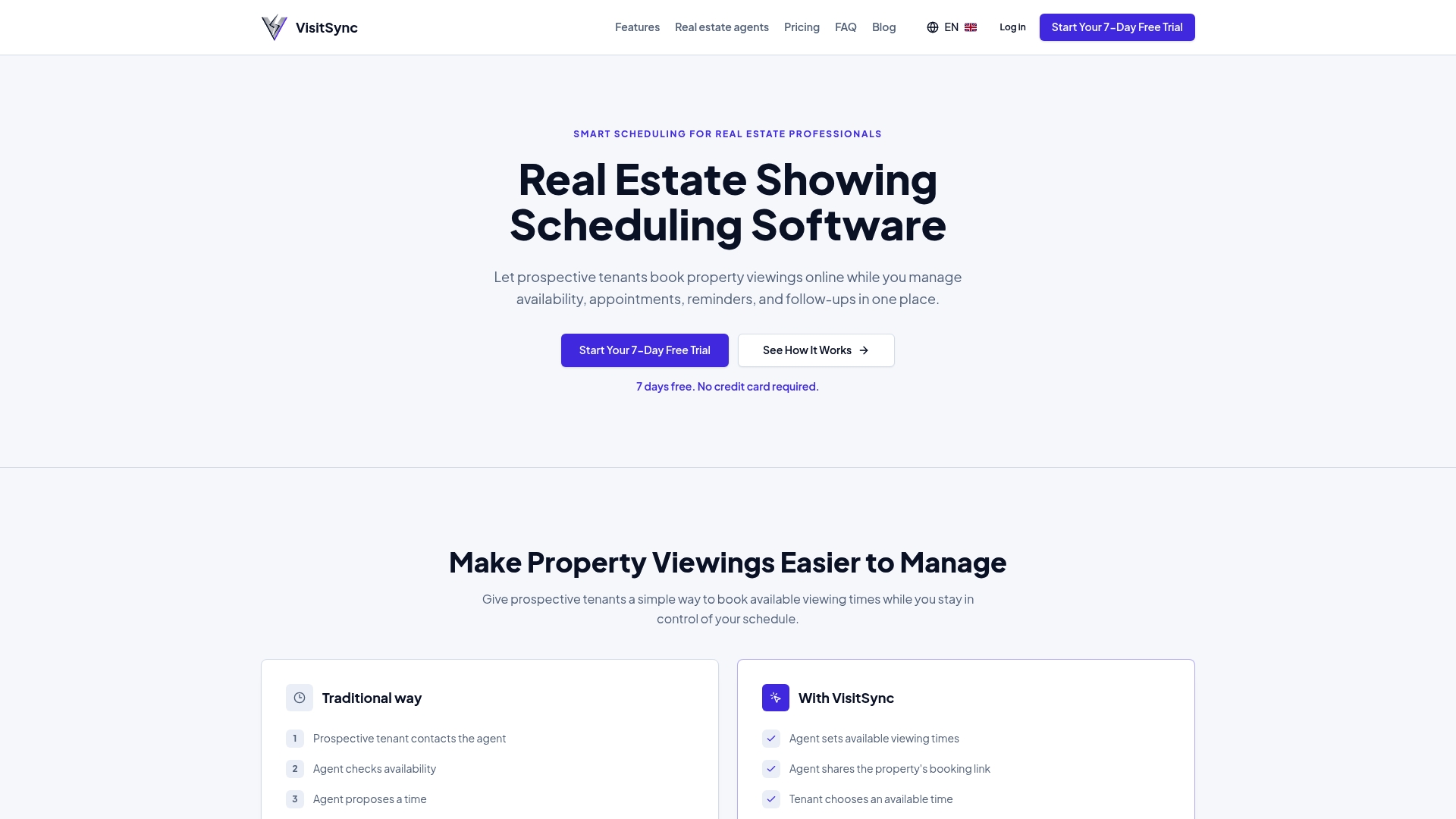
Specifically, the recommended journey follows three simple steps: signing up for the free trial, a pilot phase with a few agents and properties, then full calendar integration once settings are validated. The platform's bilingual experience also facilitates its adoption in teams serving both Anglophone and Francophone clients. Detailed features, including automated reminders and analytics dashboards, are presented on the VisitSync features page. To discover the Essential and Pro plans available, head to the product page dedicated to agents or launch your Visitsync directly.
Sources
- CREA Café | Real Estate Leaders Are Using AI to Help Streamline their Inboxes
- OPC consultation on transborder data flows
This article provides general information and does not replace the advice of a qualified lawyer. Consult a qualified legal professional regarding your personal case before acting on the basis of this content.
Frequently Asked Questions
What does agency tool adoption concretely involve?
It refers to the deployment of software that automates visit scheduling, reminders, and appointment follow-ups, replacing manual phone exchanges. The agency configures calendars, trains its agents, then gradually expands usage rather than imposing an abrupt change.
How much does a solution like VisitSync cost?
VisitSync offers two plans: Essential at CAD 19 per month and Pro at CAD 39 per month, preceded by a free trial period. Full details can be found on Visitsync.
Does the agency remain responsible for data if it uses third-party software?
Yes. Under PIPEDA, the agency remains responsible for processing personal information even when a SaaS provider hosts the data, which implies documenting access and transborder transfers.
Is specific consent required to send SMS reminders?
Yes, Canada's Anti-Spam Legislation requires express and separate consent for commercial messages, distinct from the acceptance of general terms of use.
How long does a pilot deployment take?
A reasonable pilot phase generally lasts two to four weeks, allowing time to test calendar synchronization, reminder templates, and gather agent feedback before a full deployment.