
Real Estate Appointment Confirmation: The Method That Reduces No-Shows
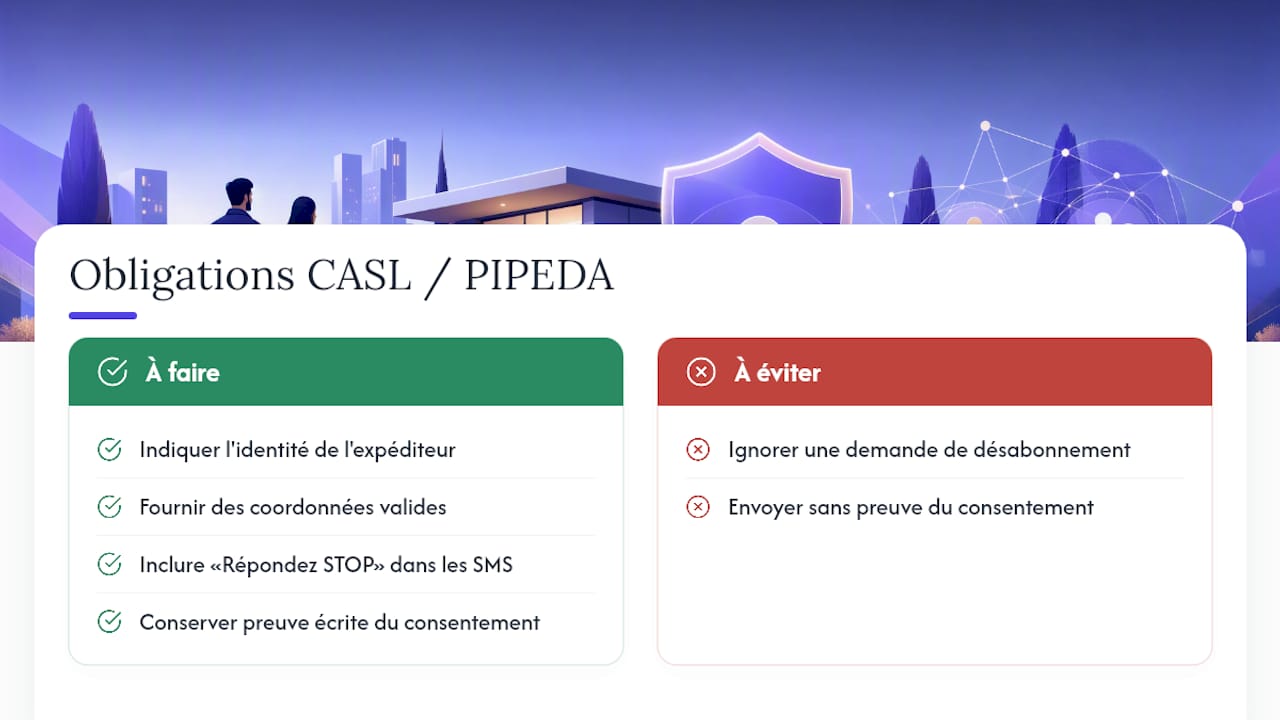
Send the confirmation by SMS or email within an hour of the appointment being booked, with a simple call to action such as replying "YES" or clicking a link. Then, schedule two automated reminders, one at D-1 and another on the day of the appointment, clearly stating the sender and a way to unsubscribe in compliance with Canada's Anti-Spam Legislation. This is the most reliable combination to limit missed visits.
In brief:
Confirming a visit within an hour of booking significantly increases participation, especially for high-value visits.
Automated reminders should be scheduled at D-7, D-1, and D-0, with precise details on duration, attendees, location, and parking options.
Messages, whether SMS or email, must comply with CASL regulations by including sender identification and an unsubscribe mechanism, even for transactional communications.
Automation must handle reminders and calendar synchronization while allowing agents to follow up for complex or high-value cases.
A platform like VisitSync allows for direct online booking and automates reminder sending, offering complete traceability and a significant reduction in missed visits.
Table of Contents
-
Should everything be automated or should the agent remain on the front line?
-
VisitSync simplifies the confirmation and follow-up of your visits
How to confirm a real estate appointment step-by-step?
The speed of sending changes everything. B2B operational methods show that confirming an appointment within an hour of booking it capitalizes on the prospect's engagement when they are most motivated. Waiting until the next day means letting a decision that was made quickly cool down.
Here's the cadence that works best for a real estate visit confirmation, from the first contact until D-Day:
-
D+0, within the hour: send a complete confirmation with date, time, address, and contact details.
-
D-7: if the visit was planned more than two weeks in advance, an intermediate reminder prevents it from being completely forgotten.
-
D-1: a practical, shorter message reminding of the slot and useful information (parking, access code).
-
D-0, one hour before: reserved for high-value visits or clients identified as unreliable.
Each message must contain more than just the time and place. Specify the planned duration of the visit, who will be present (the agent, the owner, a broker), the exact address with a geolocation link, parking or public transport options, and the name of a person to contact in case of delay. Estimating travel time in the message helps the prospect concretely visualize it, which makes the visit less abstract in their mind and increases their chances of showing up.
What message templates should be used to confirm a visit?
A good template can be read in seconds and provides a clear action to take. Here are tested structures that you can adapt for your agency.
Initial confirmation SMS:
-
"Hello [First Name], your visit to [full address] is scheduled for [date] at [time]. Reply YES to confirm or click here: [link]."
-
Keep it under 160 characters to avoid splitting into multiple messages.
D-1 reminder SMS:
- "Reminder: visit tomorrow at [time] at [address]. Parking available [info]. An emergency? Reply CANCEL."
D-0 reminder SMS:
- "Your visit is in 1 hour at [address]. [Agent's Name] is waiting for you there."
Full confirmation email:
-
Subject: "Confirmation of your visit on [date] at [time]"
-
Body: date and time, estimated duration (generally 20 to 30 minutes), names of participants, documents to bring (ID, proof of income if visiting with a file), full address with map link, direct contact details of the agent.
For grouped or multi-property visits, add a summary at the top of the email listing each address and time slot in chronological order. This avoids confusion when the same prospect visits three properties on the same afternoon.
CASL and PIPEDA: What your messages must comply with
An appointment confirmation message is not subject to the same rules as an advertising email, but the line is finer than one might think. Canadian law distinguishes between transactional messages, such as a visit confirmation, and commercial messages, which promote a service. Official texts specify that even a transactional message must contain sender identification, valid contact information, and an opt-out mechanism.
Pro tip: systematically add a line "Reply STOP to no longer receive reminders" at the bottom of your SMS, even transactional ones. It costs nothing and avoids any ambiguity if a recipient complains.
Consent can be express (the prospect checked a box or signed a form) or implicit, for example, when they contacted you themselves to request a visit. In both cases, keep a written record: screenshot of the form, timestamp of the request, or a simple note in your CRM. This is not just good CASL practice, it is also protection in case of a dispute under the Personal Information Protection and Electronic Documents Act (PIPEDA), which requires you to justify why you hold and use a prospect's contact details.
An often overlooked point: the law requires all unsubscribe requests to be processed within ten business days. After this period, continuing to send messages becomes an infringement, even if the initial sending was perfectly legal.
Automate confirmations without losing human contact
A well-built automation flow follows a simple logic: your CRM creates the visit event, which triggers the sending of the confirmation SMS or email, updates the agent's calendar, then schedules the reminders according to the chosen cadence. Each step is automatically logged, giving you a complete history of who was contacted, when, and how they responded.
Two-way synchronization with Google Calendar or Outlook prevents double bookings: if an agent blocks a time slot in their own calendar, the system immediately removes it from the availability displayed to prospects.
This type of automation frees up time that the agent can reinvest elsewhere. Automation tools and intelligent assistants are effective for managing repetitive tasks, but they do not replace a human for crucial decisions. Three simple rules help determine when to involve an agent:
-
No response after the D-1 reminder: trigger a follow-up SMS and an internal notification to the agent.
-
Cancellation on the day of the appointment: automatically suggest two alternative slots, but let the agent take over if the client cancels a second time.
-
High-value visit (luxury property, VIP client, complex file): systematically switch to a phone call rather than an automated message.
What metrics to track after a confirmed visit?
Confirming a visit is just one step. What distinguishes a progressing agency from a stagnant one is the tracking of numbers afterward.
| Indicator | What it reveals |
|---|---|
| Confirmation rate | Proportion of prospects who actively respond to the initial message |
| No-show rate | Confirmed visits where no one shows up |
| Rescheduling rate | Frequency at which a slot needs to be moved |
| Average time confirmation → visit | Time between prospect response and the visit itself |
After each visit, a short thank-you email, accompanied by a two- or three-question survey, helps measure the prospect's real interest and guide commercial follow-up. A prospect who rates the property 4 out of 5 deserves a call within 24 hours; a score of 2 out of 5 rather justifies a follow-up on other properties matching their criteria. This data, cross-referenced with your confirmation rates, allows you to gradually adjust your time slots and the frequency of your reminders.
Should everything be automated or should the agent remain on the front line?
Automation excels at repetitive tasks: reminders, standard confirmations, calendar updates. But a sensitive case, a VIP client, or a complex visit (commercial property, multi-party transaction) deserve an agent to take over from the first contact. The rule I follow: automate what is predictable, keep humans for what is decisive. A quick checklist suffices: if the visit can proceed without surprises, let the system manage; if it involves negotiation or building a relationship of trust, pick up the phone.
— Isac
VisitSync simplifies the confirmation and follow-up of your visits
VisitSync is the concrete alternative to endless message exchanges between agents and prospects: instead of manually following up with each contact to set a slot, you let the prospect book directly online, on a page dedicated to the property, without even creating an account.
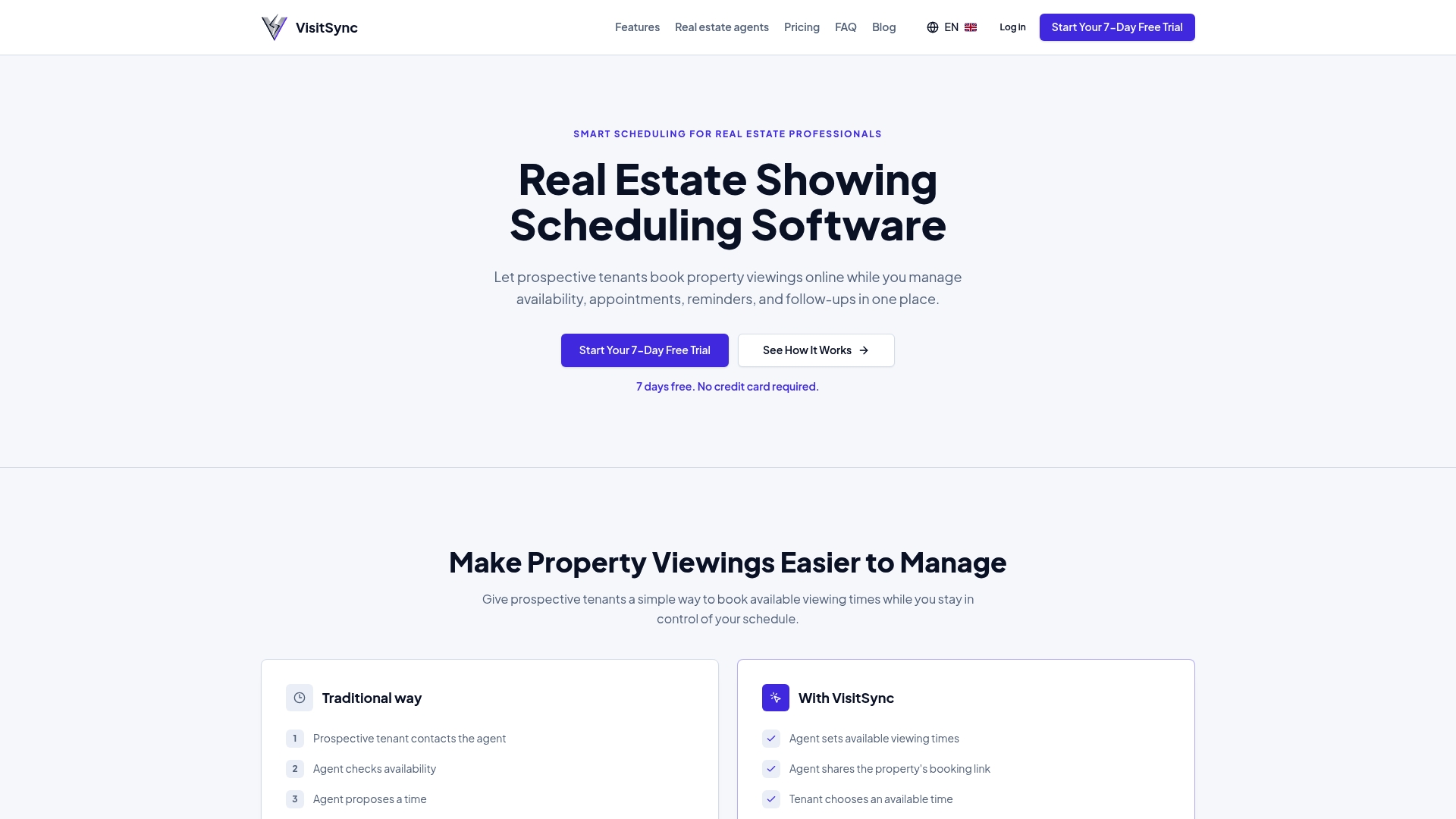
The platform automatically manages SMS and email reminders, synchronizes your availability with Google Calendar and Outlook, and logs each confirmation so you have complete traceability without thinking about it. Visit management features also include analytics that show where your slots work best and where no-shows are concentrated. For agents managing a significant volume of visits, the VisitSync solution designed for real estate professionals eliminates a good portion of the repetitive administrative tasks described above. The Essential and Pro plans are available from CAD 19 per month, with a free trial period to test the full flow on your own properties.
Sources
To delve deeper into the legal and operational aspects discussed in this article:
-
Getting consent to send email — Canada’s Anti‑Spam Legislation (CASL)
-
Confirming an appointment by email: operational B2B method — Acceor
Frequently Asked Questions
What is an effective real estate appointment confirmation?
It's a message sent quickly after the appointment is booked, clearly indicating the date, time, address, and a means to act (reply or click). Sent within an hour of booking, it capitalizes on the prospect's immediate engagement.
Is SMS more effective than email for confirming a visit?
SMS generally shows a faster read rate, but the two channels complement each other well. Field data shows that SMS reminders integrated into a calendar flow can reduce no-shows by 30 to 50% when properly synchronized with appointments.
Must a confirmation message comply with CASL law?
Yes, even a transactional message like a visit confirmation must include sender identification, valid contact information, and an opt-out mechanism. The law also specifies that unsubscribe requests must be processed within ten business days.
How to automate confirmations without losing human contact?
By reserving automation for repetitive tasks (reminders, calendar updates) and keeping an agent available for sensitive cases or high-value clients. A confirmation management tool allows these reminders to be automatically synchronized with external calendars while letting the agent take over in case of no response.
How much does a tool like VisitSync cost to manage confirmations?
Some market solutions offer several monthly subscription plans, sometimes accompanied by a free trial period. Full details of features per plan are available directly on the website.