
Digitizing Real Estate Showings: How to Automate Appointment Scheduling

Digitizing real estate showings involves using a SaaS scheduling software to automate appointment booking, calendar synchronization, reminders, and analytical tracking. The main benefit can be summed up in one sentence: fewer phone calls or emails, more time to support clients. Tools like VisitSync exemplify this approach applied to the daily operations of an agency.
In brief:
- Digitizing real estate showings significantly reduces communication to schedule appointments, particularly by eliminating reliance on emails or phone calls.
- Integrating online booking without account creation and automatic calendar synchronization improves process fluidity, with a direct impact on the rate of completed showings.
- Compliance with Canadian law requires explicit consent collection, secure personal data management, and clear identification for automated reminders.
- Success requires an audit phase, a progressive pilot, and continuous training to ensure effective adoption of tools by the entire team.
- Using complementary technologies such as virtual tours and interactive videos optimizes lead qualification without eliminating the essential role of human interactions.
Table of Contents
- Why Digitize Showings: Benefits for Efficiency and Conversion
- Key Features to Demand from Showing Scheduling Software
- Choosing and Integrating a Solution: Criteria, Steps, and Governance
- Compliance and Best Practices Applicable in Canada (PIPEDA, CASL)
- Operational Checklist to Digitize Your Showings in 30 Days
- Associated Digital Technologies: Virtual Tours, Augmented Reality, and Interactive Videos
- Effects on Client and Prospect Experience
- What Daily Use of These Tools Reveals
- Digitize Your Showings with VisitSync
- Sources
- Frequently Asked Questions
Why Digitize Showings: Benefits for Efficiency and Conversion
Automating appointment scheduling concretely changes an agent's workload. Email exchanges to set a showing time disappear, replaced by direct booking on a dedicated property page. This gain translates into time saved each week, time that the agent can reinvest in negotiation or advice, two tasks no software can replace.
Automation also benefits lead tracking: an automatically confirmed appointment generates an exploitable record, whereas an appointment taken by phone is often lost in a paper diary or voicemail.
- Fewer back-and-forths to set a showing time.
- Centralized history of showings and availability.
- Automatic reminders that reduce missed appointments.
- Exploitable attendance data to adjust proposed time slots.
Adopting automations and AI tools allows agents to recover several hours each week by automating email management, booking, and showing follow-ups. This automation targets repetitive administrative work, never high-value interactions like negotiation.
Key Features to Demand from Showing Scheduling Software
Showing scheduling software must cover the entire journey, from booking to results analysis. Online booking, without requiring visitors to create an account, remains the most decisive entry point: every additional friction reduces the appointment booking rate.
- Dedicated property page allowing direct booking, no account required.
- Bi-directional synchronization with Google Calendar and Outlook, with availability rules per agent.
- Automated SMS or email reminders, configurable and compliant with anti-spam law requirements.
- Buffer times between showings, preparation rules, and guest access for temporary collaborators.
- Property-specific attendance analytics to adjust proposed schedules.
- Integrations with a customer relationship management system and lead qualification forms.
These features transform a formerly manual process into a continuous flow, where each scheduled showing automatically feeds the relevant prospect's file.
Pro tip: Always configure a buffer time of at least 15 minutes between two showings to avoid overlaps due to traffic or last-minute contingencies.
Choosing and Integrating a Solution: Criteria, Steps, and Governance
Choosing software for scheduling is based on precise criteria, not just the advertised price. The user experience for visitors, the reliability of calendar synchronization, data security, the availability of a bilingual interface, the quality of support, and the richness of reporting determine actual adoption by the team.
Integration rarely succeeds overnight. A five-step approach limits friction:
- Audit active properties and the actual availability of each agent.
- Launch a pilot on a subset of properties for a few weeks.
- Train the team on basic settings: buffers, reminders, access rules.
- Document clear internal rules on the collection and use of showing data.
- Measure results and adjust parameters before full deployment.
- Appoint an internal data privacy officer.
- Plan for continuous training rather than a single session.
- Track concrete indicators: showing attendance rate, average booking time, volume of requests handled without human intervention.
Brokers who succeed best in this transition always combine technology and support: buying software without continuous training significantly reduces its adoption by the agents themselves.
Compliance and Best Practices Applicable in Canada (PIPEDA, CASL)
Collecting contact information during a showing booking triggers specific obligations. The Personal Information Protection and Electronic Documents Act (PIPEDA) requires meaningful consent, collection limited to what is necessary, retention limited in time, and security measures proportionate to the risk.
- Obtain clear consent at the time of booking, never implicit.
- Limit collected fields to what is strictly necessary to organize the showing.
- Set a defined retention period, then securely delete data.
- Document proof of consent in case of verification.
SMS or email reminders also fall under the Canadian Anti-Spam Legislation (CASL), which requires clearly identifying the sender, providing valid contact information, and including an easily executable unsubscribe mechanism. Unsubscribe requests must be processed quickly, without unnecessary administrative delay.
Automated reminders increase showing attendance and reduce cancellations but require careful attention to consent before any commercial communication is sent. Appointing an internal privacy officer, even in a small team, simplifies daily compliance.
Operational Checklist to Digitize Your Showings in 30 Days
A successful transition rarely depends on technology alone, but on the order of steps followed.
- Week 1: Inventory active properties and prioritize those with high demand volume.
- Week 1: Configure calendars, availability rules, and buffer times for each agent.
- Week 2: Set up reminder messages and verify their compliance with anti-spam requirements.
- Week 3: Deploy a pilot on a few properties, gather feedback from agents and visitors.
- Week 4: Adjust settings, train the entire team, and formalize an internal written procedure.
- Weekly check the attendance rate for scheduled showings.
- Compare coordination time before and after deployment.
- Gather visitor feedback on ease of booking.
Pro tip: Always launch the pilot on the most in-demand properties: higher volumes reveal necessary adjustments more quickly.
Associated Digital Technologies: Virtual Tours, Augmented Reality, and Interactive Videos
The digitization of showings also includes complementary technologies to scheduling, even if they address a different need. Three-dimensional virtual tours allow a prospect to tour a property remotely before requesting a physical visit, which reduces the number of unqualified trips. Augmented reality, still not widely adopted, is starting to allow the visualization of potential layouts or renovations directly on property images. Interactive videos, meanwhile, offer a guided presentation of the property, often integrated into the booking page itself.
These tools work in conjunction with a scheduling system rather than replacing it: a prospect convinced by a virtual tour still needs to book a time slot for an in-person showing, or for a second visit before making an offer. Technologies deployed in recent years, especially during the period of high remote adoption, are still used today because they reduce the number of unnecessary visits and better qualify leads upstream.
For an agency, the order of priorities remains clear: automated scheduling handles the daily volume of requests, while visual tools primarily serve to filter prospects even before an appointment is booked.

Effects on Client and Prospect Experience
A prospect who books a showing in a few clicks, without creating an account or waiting for an email response, immediately perceives the agency as responsive. This impression is particularly important in a rental market where several candidates compete for the same time slot: the one who receives instant confirmation has an advantage over the one waiting for a phone call back.
Automatic reminders also reduce last-minute anxiety; an SMS the day before is often enough to confirm the exact address and time, without soliciting the agent. Conversely, a poorly configured system, with time slots that do not match the agent's actual availability or reminders sent too late, quickly erodes visitor trust.
The experience is also in the details: a booking form that is too long discourages conversion, whereas a streamlined page with essential property information encourages immediate appointment booking. Agencies that pay attention to this point transform a logistical constraint into a commercial argument, with ease of booking itself becoming a signal of professionalism.

What Daily Use of These Tools Reveals
Scheduling technology delivers on its promises when it handles what needs to be handled: logistics. It fails when an agency installs it without reviewing its internal processes, hoping that software alone will correct a pre-existing lack of organization. The real gain appears when online booking frees up time for the part of the job that no algorithm can replace: listening to a client, negotiating an offer, advising on a neighborhood.
VisitSync automates appointment scheduling, reminders, and provides property-specific attendance analytics, with detailed features on the Visitsync, Visitsync, and Visitsync pages. But no tool, however well-designed, replaces team training or clear internal rules on the governance of collected data.
— Isac
Digitize Your Showings with VisitSync
VisitSync automates appointment scheduling, Google and Outlook calendar synchronization, reminders, and analytical tracking of showings, all within a bilingual interface designed for real estate agents and teams.
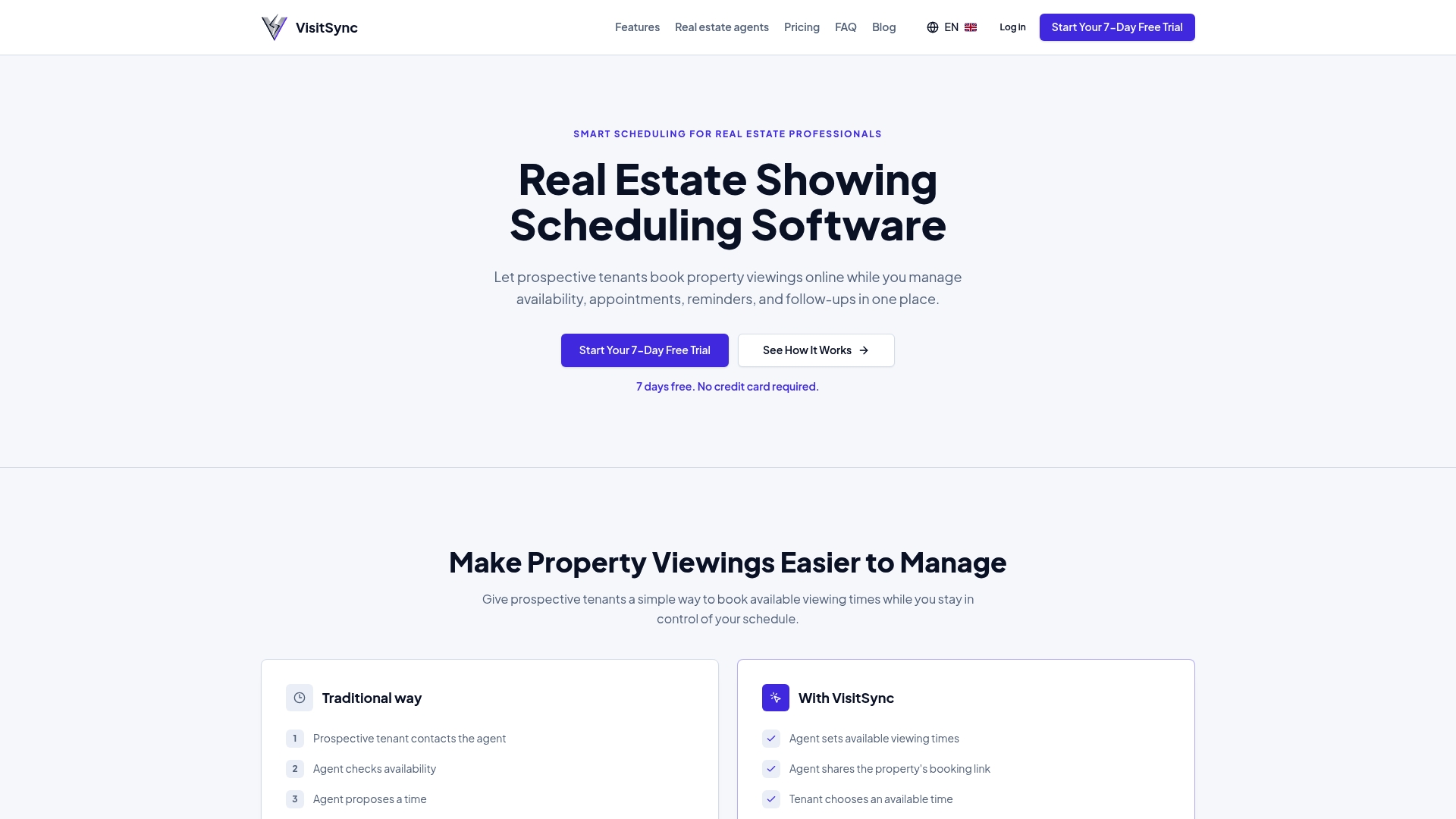
- A basic plan for independent agents starting to digitize their showings.
- An advanced plan for teams that want more in-depth reporting and multi-agent management.
- Property-specific booking page, no account required for visitors.
- Trial available to test calendar synchronization before committing.
Consult detailed features or get started directly on Visitsync to configure your first property.
Sources
- CREA Cafe | How AI Is Helping REALTORS® Work Smarter and Reinvest…
- PIPEDA Compliance Guide — OPC
- CRTC | CASL FAQ
Frequently Asked Questions
What does digitizing real estate showings concretely mean?
It means using scheduling software that automates booking, calendar synchronization, and showing reminders. The goal is to reduce manual communication between agents and prospects while keeping an analytical record of each appointment.
What legal obligations apply to automated reminders?
SMS or email reminders must comply with anti-spam law, which requires sender identification and an easy unsubscribe mechanism. The collection of prospect contact information must also follow the consent principles stipulated by PIPEDA.
How much does software like VisitSync cost?
Both plans include calendar synchronization and automated reminders.
Does digitization replace human contact with the client?
No, it mainly handles repetitive logistics such as appointment booking and reminders. Client advice, negotiation, and support remain tasks that automation does not cover.
What are the main challenges when adopting such a tool?
Resistance often comes from a lack of training rather than the technology itself. An agency that plans a pilot, continuous training, and clear internal rules avoids most of the roadblocks related to habit changes.