
White-label booking page: the complete technical guide

A white-label booking page displays your logo, colors, and domain, without ever mentioning the technical provider behind it. For rapid deployment, a custom hosted widget is sufficient; for deep integration into your site or real estate portfolio, a dedicated domain, or even an API with webhooks, is required. Some solutions offer this flexibility for real estate agents managing visits.
In brief:
- Using a custom domain and emails sent from your own name reinforces the credibility of the white-label booking page.
- Synchronization with Google Calendar or Outlook via OAuth prevents double bookings and automates calendar management.
- The optimal level of white labeling for a seamless experience can extend to API and webhook integration, especially for agencies with many agents or clients.
- Technical configuration includes sub-domain registration, SSL certificate setup, and SPF, DKIM, and DMARC parameterization to ensure email deliverability.
- An initial pilot on one or two properties helps identify potential frictions and evaluate real value before large-scale deployment.
Table of Contents
- What features to expect from a white-label booking page?
- What are the possible levels of white labeling?
- How to technically deploy a white-label page, step by step?
- What business benefits can you expect from a white-label page?
- How VisitSync concretely applies these principles in real estate?
- Should you really invest in white labeling for your business?
- Take action with VisitSync
- Useful sources and documentation
- Frequently asked questions
What features to expect from a white-label booking page?
A true white-label page goes far beyond a simple logo pasted on a generic form. The experience should feel like it was built in-house by your company, from the first click to the email confirmation.
Here are the elements to check before choosing a provider:
- Complete visual identity: customizable logo, color palette, typography, and favicon, with no visible mention of the technical provider.
- Custom domain: an address like book.yourdomain.com rather than a generic provider URL. A dedicated subdomain avoids breaking the user experience and prevents the user from mentally leaving your brand ecosystem at the critical moment of booking.
- Email and SMS senders in your name: proper SMTP configuration so that confirmations and reminders arrive from your domain, not the provider's.
- Custom fields and forms: specific questions for your business, multi-language support, and often editable templates via an engine like Liquid or equivalent.
- Hosting choice: most solutions remain hosted by the provider (simpler, delegated maintenance), while some platforms offer a self-hosted option for technical teams who want to maintain control.
This last point deserves consideration. Self-hosting gives total control but also transfers the responsibility for security and updates to your team.
What are the possible levels of white labeling?
Not all providers mean the same thing when they say "white label." There is a clear hierarchy, and knowing these levels avoids paying for an API integration when a widget would suffice.
- Basic level: your logo and colors appear on a page hosted by the provider, on their own generic domain.
- Domain and communications level: a custom subdomain plus emails sent from your address. This is the minimum threshold for a truly credible experience in the eyes of the end customer.
- Integrated level (widget or iframe): the booking page remains technically hosted elsewhere, but is displayed directly on your own site via a widget or iframe, without the user noticing.
- API and webhooks level: deep integration allowing for a multi-tenant architecture, where each client isolates their data while being managed from a central administration panel. This is the level sought by agencies that resell the solution to their own clients.
The right level depends less on your budget than on your property volume and the number of agents to coordinate.
How to technically deploy a white-label page, step by step?
Here is the sequence a technical team generally follows, or that you transmit to your hosting provider if you don't have an in-house IT specialist.
- Reserve the subdomain (e.g., book.yourdomain.com) and activate the corresponding SSL certificate. Without SSL, browsers display a warning that instantly destroys trust.
- Configure DNS records: add the A or CNAME entries required by your provider, plus a CAA record if you want to restrict authorized certificate authorities.
- Verify DNS propagation before considering the domain operational. Allow a few hours, sometimes up to 48 hours depending on your registrar.
- Configure SPF, DKIM, and DMARC on your SMTP server. These three protocols significantly reduce the risk of your confirmations and reminders ending up in spam.
- Set up the SMS sender name if your business uses it, and check local rules for registering professional senders.
- Connect authentication and calendar synchronization via OAuth for Google Calendar or Outlook, to avoid double bookings.
- Activate webhooks or the API, then map key events: booking creation, cancellation, modification.
- Test the complete journey: booking, notification, error management, data retrieval in your CRM.
Pro tip: never launch a white-label page without having tested a deliberate failure scenario, such as a last-minute cancellation or a double booking. It's in these edge cases that poorly configured integrations reveal themselves, not in the nominal path.
What business benefits can you expect from a white-label page?
The strongest argument is not aesthetic; it's behavioral. A user who stays on a domain consistent with the brand is less likely to abandon their booking than a user redirected to an unknown third-party URL.
- Enhanced trust and reduced abandonment: consistent domain, colors, and confirmation email reassure, especially for commitments like a physical real estate visit.
- Resale model for agencies: some providers allow you to bill each end customer at your own rate, with the margin made on the difference between your resale rate and the provider's cost.
- Controlled maintenance cost: developing an in-house booking solution mobilizes permanent technical resources, whereas an outsourced solution spreads this cost over a predictable monthly subscription.
- Pilot approach recommended: deploy on one or two properties before general scaling, to identify real customer-side frictions.
How VisitSync concretely applies these principles in real estate?
For a real estate agent, white labeling takes a specific form: a dedicated page per property, where the prospective tenant books their visit slot without creating an account or exchanging ten emails with the agency. This is precisely the area where VisitSync positions itself.
Concretely, an agency deploying this type of page follows a logic similar to the checklist described above: each property receives its own booking page, automatic reminders are sent to the potential tenant without manual intervention, and the agent's calendar syncs with Google or Outlook to avoid overlaps. The visit management features also include analytical tracking that shows how many visits actually convert into application files.
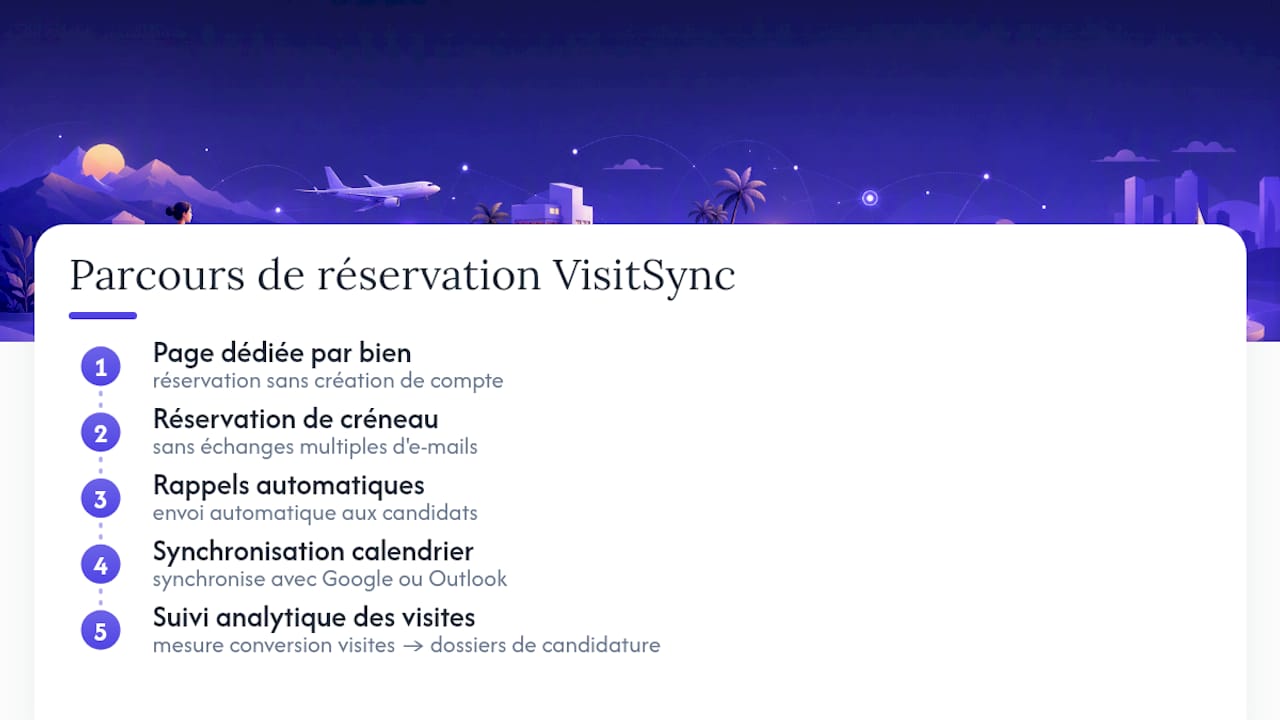
The operational benefit can be summarized in one sentence: fewer phone back-and-forths, more time dedicated to client support rather than planning logistics.
Should you really invest in white labeling for your business?
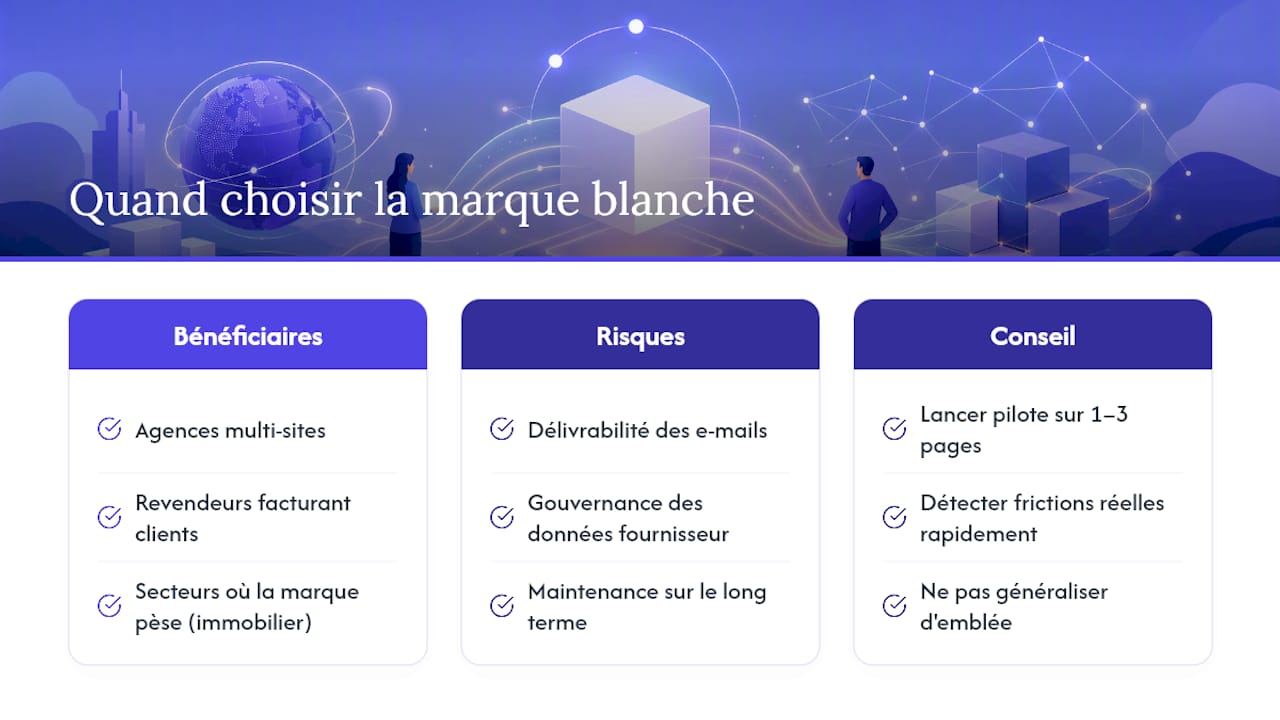
White labeling has the most value for three specific profiles: multi-site agencies that need to standardize the experience across multiple teams, resellers who bill their own clients, and any structure where brand trust directly impacts the conversion rate, such as real estate.
Outside of these cases, the technical investment often exceeds the real benefit. Email deliverability, data governance on the provider's side, and long-term maintenance are real risks, not secondary details to be settled once and for all.
My advice remains constant for this type of deployment: launch a pilot on one to three pages before any generalization. You will discover real frictions much faster than with a theoretical specification document.
Take action with VisitSync
VisitSync is the concrete alternative for a real estate agent who wants a white-label booking page without hiring a developer: each property gets its dedicated page, reminders are sent automatically, and the calendar stays synchronized with Google or Outlook.
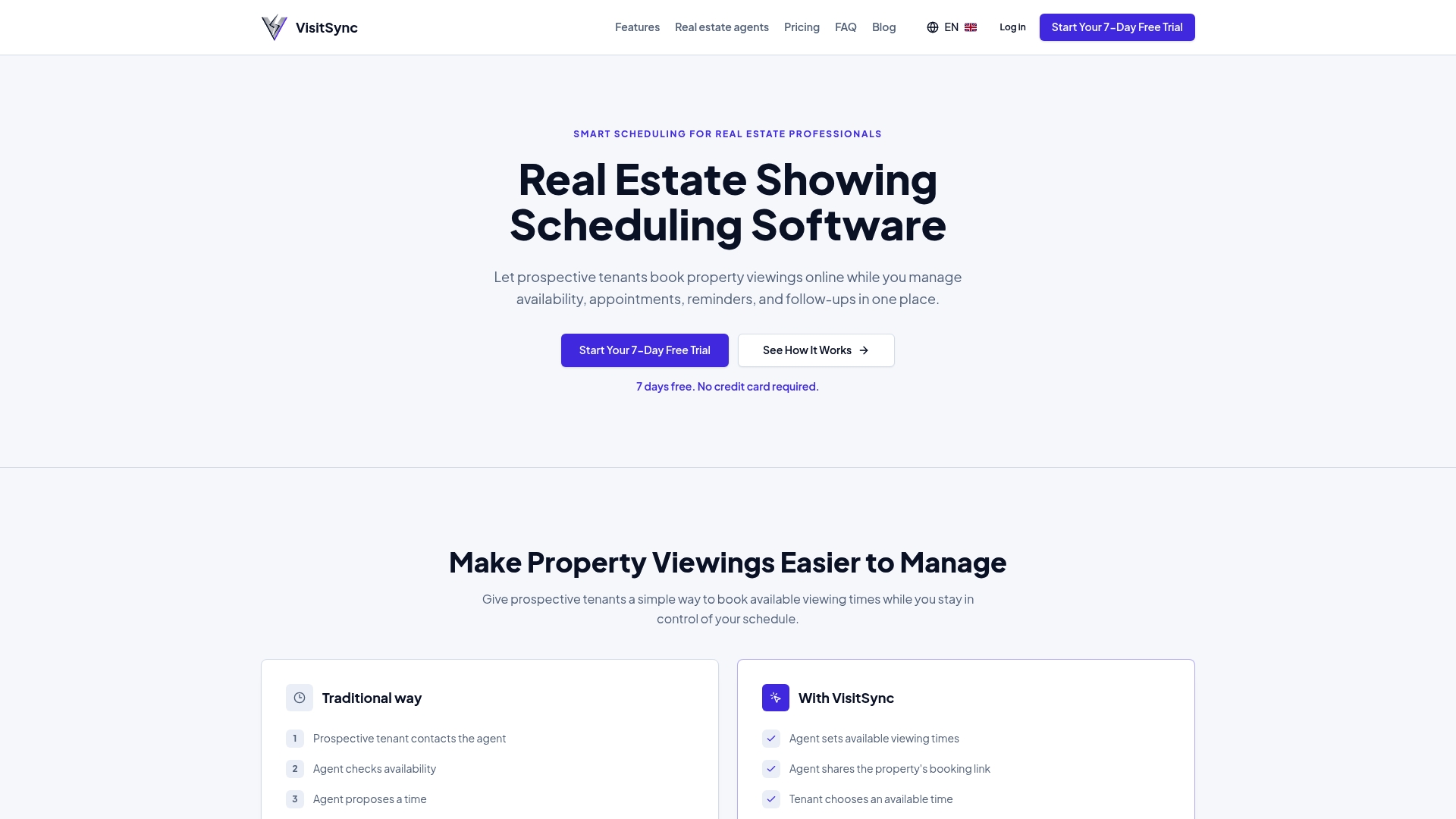
Onboarding follows a simple logic: you configure your properties, connect your existing calendar, and potential tenants book directly without creating an account. Two plans are available, Essential at 19 CAD per month and Pro at 39 CAD per month, with a free trial to test everything before committing. If your volume of visits justifies centralized management, head to the page dedicated to real estate agents to start your trial period.
Useful sources and documentation
To delve deeper into the technical configuration, consult the VisitSync features documentation or the product page dedicated to agents.
Frequently asked questions
What is a white-label booking page?
It's an online booking page that fully bears your visual identity, your domain, and your confirmation emails, without mentioning the technical provider. The user gets the impression of using a tool developed in-house by your company.
What's the difference between an integrated widget and an API integration?
A widget or iframe displays the booking page within your existing site without heavy development, while API and webhook integration allows for real-time synchronization with your other tools, such as your CRM. The choice depends on your volume and your need for automation.
How to improve the deliverability of confirmation emails?
Configure SPF, DKIM, and DMARC protocols on your sending domain, associated with a dedicated SMTP server. This configuration significantly reduces the risk of your confirmations and reminders being classified as spam.
How much does a white-label booking solution like VisitSync cost?
VisitSync offers two plans: Essential at 19 CAD per month and Pro at 39 CAD per month, with a free trial period to test the features before commitment.
Is a custom domain necessary for a professional booking page?
A custom subdomain like book.yourdomain.com is not technically mandatory, but it avoids the broken experience caused by a redirect to a generic provider URL. It's one of the elements that most impacts the perceived trust by the end customer.