
How to Replace an Excel Schedule for Your Showings

To effectively replace an Excel showing schedule, adopt a specialized showing scheduling tool or, failing that, a synchronized collaborative calendar combined with a well-structured shared list. These tools provide automatic confirmations, reminders, and direct synchronization with Google or Outlook, which eliminates double bookings and endless email exchanges. VisitSync exemplifies this approach for real estate agents managing a high volume of property showings.
In brief:
- Managing showing schedules with Excel becomes problematic as soon as the team grows or the volume exceeds two to three appointments per day, leading to conflicts or errors.
- Specialized tools like VisitSync offer online booking, automatic reminders, synchronization with Google or Outlook, thus avoiding overlaps and excessive email exchanges.
- Effective migration requires precise file structuring, progressive import, and a pilot phase to validate reliability before general deployment.
- The selection of a new tool should be based on direct synchronization, easy import, availability management, and the ability to include multiple agents or properties.
- For occasional use, a shared calendar or list is sufficient, but a high volume of real estate showings requires a dedicated tool to optimize coordination and reduce management time.
Table of Contents
- Why Excel is problematic for showing schedules
- Which categories of tools replace Excel for your schedules
- How to migrate your Excel schedule step-by-step
- What criteria to consider when choosing your new tool
- Why a specialized solution better meets the needs of real estate showings
- What automation truly changes in showing schedules
- VisitSync, an option designed for your real estate showings
- Sources
- Frequently Asked Questions
Why Excel is problematic for showing schedules
A shared Excel file works well as long as only one person modifies it. As soon as multiple agents access it simultaneously, input conflicts appear: two showings scheduled for the same slot, a row accidentally overwritten, a column misaligned after a copy-paste. These incidents are not uncommon in teams managing several properties concurrently.
Excel also does not offer an interface where a potential tenant can book a slot themselves. Everything goes through a human intermediary, which slows down each appointment booking and multiplies back-and-forth email or phone exchanges. The WORKDAY.INTL function certainly allows calculating working dates by excluding weekends and holidays, but it does not manage confirmations, reminders, or competing bookings.
Here are the signals indicating that it's time to migrate:
- You receive more than two or three slot modification requests per day per agent.
- Two showings have already overlapped on the same property in the last month.
- Your clients regularly ask to book themselves without having to call.
- You manage multiple agents or multiple properties in the same shared file.
For strictly personal use or a very small volume of showings, a well-maintained Excel file remains acceptable. The problem arises as soon as the team grows or the volume of appointments exceeds what a single person can visually keep track of.
Which categories of tools replace Excel for your schedules
Three main families of tools cover the needs that Excel no longer meets.
- Collaborative calendars, like Outlook, offer the Scheduling Assistant to compare the availabilities of multiple participants, add a location, and track acceptances, which is well suited for coordinating internal meetings. However, they remain limited when it comes to tracking a specific property, a client confirmation, or a follow-up history after the showing.
- Shared lists, via Microsoft Lists or SharePoint, allow direct import of an existing Excel sheet and its transformation into a collaborative database with typed columns, which improves input reliability compared to a flat file.
- Specialized booking tools, designed for a specific sector, allow the end client to book without creating an account, send automatic reminders, and provide attendance statistics.
The right choice depends on the context. A field team coordinating internal interventions can settle for a well-configured shared calendar. A seasonal rental company will benefit from structuring its bookings in a shared list before considering a dedicated tool. A real estate agent or agency managing a constant flow of property showings has every interest in moving directly to a specialized tool, as the volume of client coordination quickly exceeds what a general-purpose calendar can absorb.
Pro tip: before choosing a tool, count the number of exchanges (emails or calls) needed to confirm a single showing; this figure reveals the true urgency of migrating better than the volume of appointments.
How to migrate your Excel schedule step-by-step
A successful migration relies almost entirely on preparing the source file.
- Structure the sheet like a true table: one row per showing, with distinct columns for date, start time, end time, agent, property, status, and client contact.
- Convert the range to an Excel table (or export as CSV) before importing, which avoids typing errors during transfer.
- Correct cells that mix multiple pieces of information, such as "John, 2 PM, confirmed" in a single cell: each piece of data must occupy its own column.
- First import a test sample of ten to fifty rows covering edge cases (showings across multiple time zones, cancellations, agent changes), a recommended practice for ensuring reliable import before the full switch.
- Verify time zones, access permissions, and synchronization with your Google or Outlook calendars before opening the tool to the entire team.
To transform an Excel sheet into a list based on a spreadsheet, Microsoft automatically converts headers into columns, but some date columns often require manual reconfiguration after import.
- Plan a pilot phase with a single agent or property before full deployment.
- Train the team using concrete cases drawn from your own showing history.
- Keep the original Excel file read-only for two weeks, in case a rollback is necessary.
What criteria to consider when choosing your new tool
A clear selection grid prevents changing tools twice in one year.
- Calendar synchronization: the tool must connect directly to Google or Outlook, without manual double entry.
- Import and export: the ability to import an existing Excel or CSV file determines the speed of migration.
- Confirmations and reminders: check if reminders are sent automatically by email or text, and if they are customizable based on the type of appointment.
- Availability management: the tool must block already taken slots to prevent any double booking.
- Multi-user permissions: each agent should only see what concerns them, without exposing data from the entire team.
- Cost and trial: prioritize a free trial period that allows testing the tool with a real volume of showings before committing.
Why a specialized solution better meets the needs of real estate showings
General-purpose calendars and shared lists cover part of the need, but a real estate agent manages a particular flow: potential tenants who need to book without creating an account, reminders that reduce no-shows, and centralized tracking of several properties at once. VisitSync was specifically designed for this use case.
- Potential tenants book a showing directly via a dedicated page for each property, without creating an account.
- Agents manage their availability, appointments, and reminders from a centralized interface, described on the showing management features page.
- Synchronization with Google and Outlook avoids double entry between the professional schedule and the showing tool.
- Integrated showing analytics provide an overview of attendance and confirmation rates per property.
VisitSync automates appointment booking and real estate showing reminders, replacing the usual manual exchanges between agents and clients with a continuous, centralized flow.
A pilot on a single property or agent is enough to measure the difference before and after, without committing the entire team from the start.

What automation truly changes in showing schedules
Automation of confirmations and reminders primarily reduces the invisible gaps in a schedule: unconfirmed slots, forgotten showings, and drawn-out back-and-forths lasting three days to set an hour. A pilot of two to four weeks on a single property is enough to see if the confirmation rate increases and if the coordination time per showing genuinely decreases.
— Isac
VisitSync, an option designed for your real estate showings
Replacing an Excel file with VisitSync concretely changes an agent's daily life: no more manual follow-ups to confirm a slot, no more urgent double bookings to correct between two appointments.
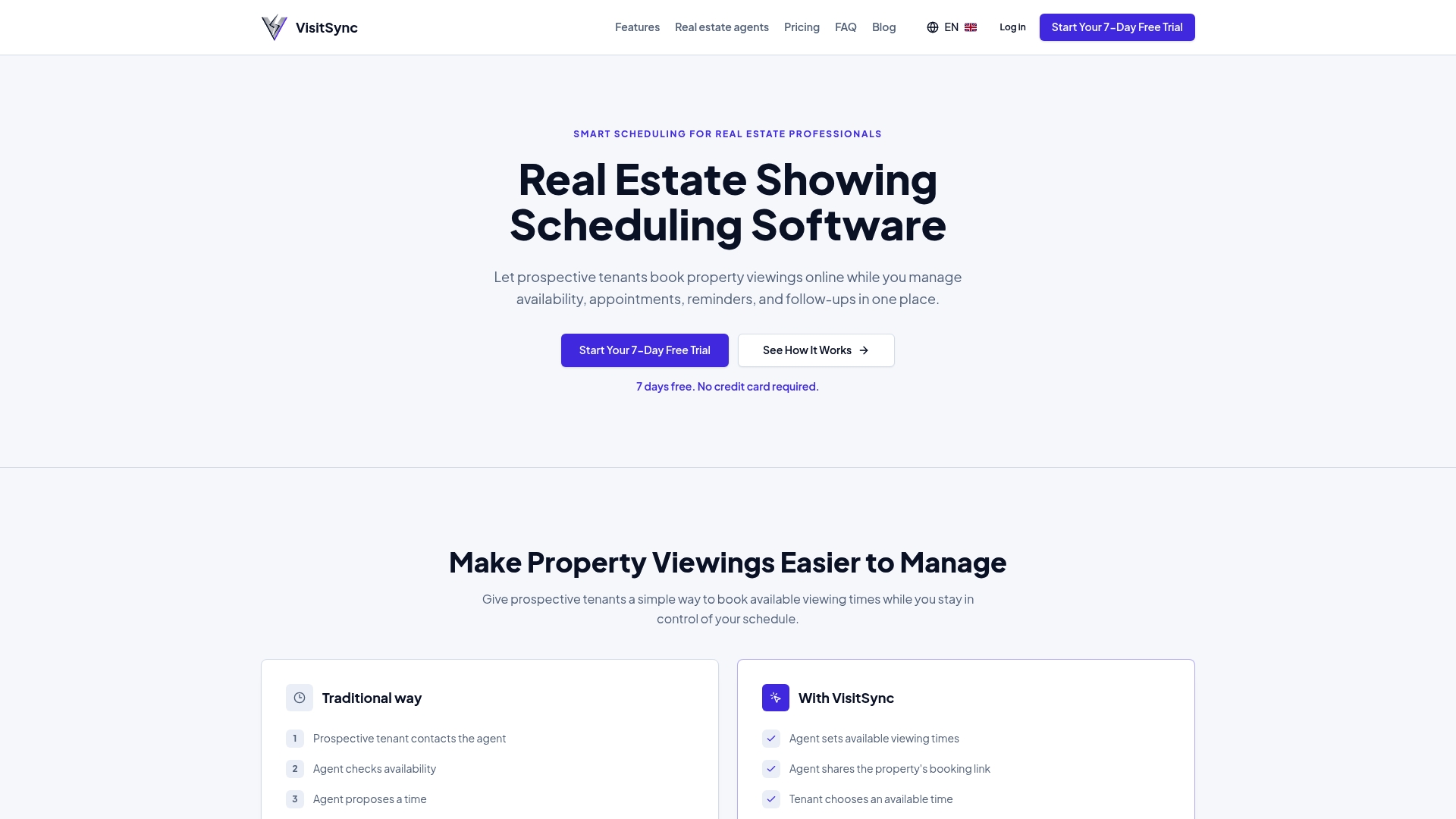
- Online booking without an account for your clients, directly from each property's page.
- Automatic synchronization with Google and Outlook to keep a single, up-to-date calendar.
- Automatic reminders that reduce no-shows for scheduled showings.
Discover the features designed for real estate agents or consult the Essential and Pro plans directly to start a free trial.
Sources
To delve deeper into technical migration, consult Microsoft documentation on spreadsheet-based lists and the Scheduling Assistant in Outlook.
- Schedule a meeting or event in Outlook - Microsoft Support
- Create a list based on a spreadsheet | Microsoft Support
- Import Excel sheets into Microsoft Lists - Nucleus Technologies
Frequently Asked Questions
Where to find a free weekly Excel schedule template?
Microsoft offers schedule templates directly in Excel, accessible via the File > New menu, by searching for "weekly schedule" in the integrated template gallery. These templates are suitable for occasional use or a very low volume of appointments.
Where to find a free booking calendar in Excel?
Booking calendar templates are available in the same Excel template gallery, under the "planners" or "calendars" categories. They remain useful for prototyping a data structure before migrating to a collaborative or specialized tool.
What is the best free tool for creating a schedule?
There is no universal tool suitable for all uses: a shared calendar like Outlook is sufficient to coordinate a small team, while a shared list via Microsoft Lists is better when multiple people are entering data concurrently. For the specific management of real estate showings, a dedicated tool like VisitSync meets needs that a general-purpose free tool does not cover, such as client booking without an account.
How to create an automated schedule in Excel?
Excel allows dates to be calculated automatically with functions like WORKDAY.INTL, which excludes weekends and custom holidays. This automation remains limited to date calculations: it does not manage confirmations, reminders, or booking conflicts between multiple users.